
RTS ANALYZER

SEE YOUR SOUND.
UNDERSTAND IT.

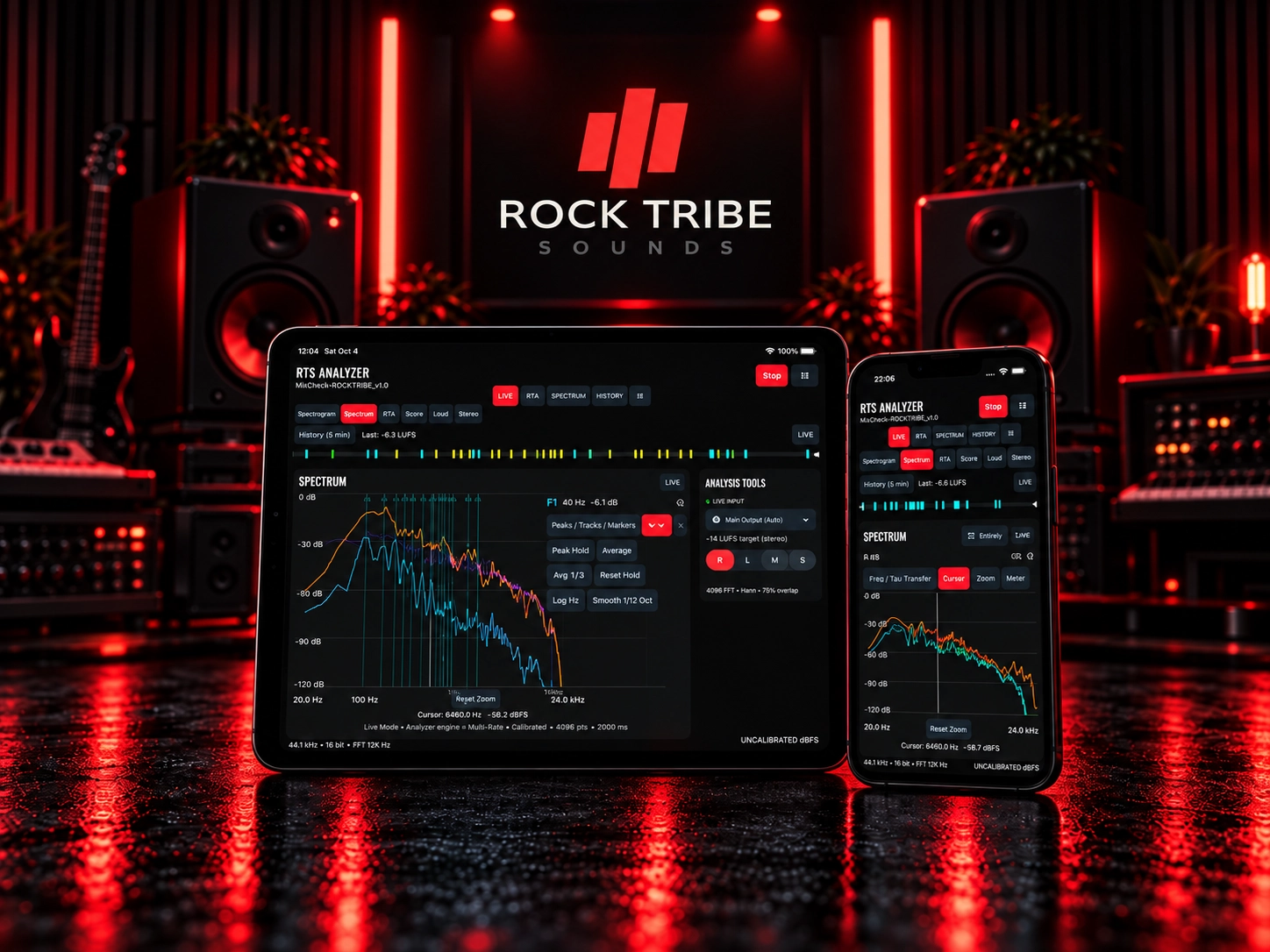
RTS Analyzer is a real-time audio analyzer app for producers, musicians and sound designers, combining spectrum, level, stereo and phase analysis in a focused iPhone and iPad workflow.

SPECTRUM · LEVELS · STEREO · PHASE · HISTORY

COMPREHENSIVE ANALYSIS

EVERYTHING YOU NEED. IN ONE APP.

Analyze spectrum, levels, stereo image, phase and history in real time with a focused audio analyzer app built for producers, musicians and sound designers on iPhone and iPad.
SPECTRUM & SPECTROGRAM

Visualize frequency content in real time and identify tonal balance, resonances and spectral energy with clear spectrum and spectrogram views.
rts-analog-sources-icon

LEVEL & DYNAMICS

Monitor peak, RMS and loudness behaviour in real time to understand dynamics, headroom and overall level with greater confidence.
rts-expressive-control-icon

STEREO & PHASE

Inspect stereo width, channel balance and phase relationships to improve spatial decisions, mono compatibility and mix clarity.
rts-production-ready-icon

CONTINUOUSLY IMPROVING

Regular updates, refinements and new features keep each app evolving with your creative workflow.
Project: RTSGuitarBass Phase: 35 – Arpeggios & Chord-Tone Navigation + Fretboard Tap Audition Model: GPT-6.1 Sol Thinking: High Current baseline: - Branch: main - Latest production commit: 29e715f — Add chord construction curriculum - Phase 30 Curriculum Foundation complete - Phase 31 Fretboard Learning Path complete - Phase 32 Intervals complete - Phase 33 Scales complete - Phase 34 Chord Construction complete - Existing Arpeggio Library / engines are production-stable - Existing RecordedInstrumentSamplePlayer / shared audio runtime are production-stable - Existing Chord Library, Nearby Voicing, Progressions, TAB and Fretboard systems are production-stable - Current app with M01–M04 is installed on physical iPhone for offline validation Important unrelated working-tree item: RTSGuitarBassTests/TAB/TabPerformancePresentationTests.swift Preserve it byte-for-byte. Do not modify or stage it. Do NOT modify WAV assets. Do NOT start Phase 36. Do NOT stage or commit. ================================================== 1. PHASE GOALS ================================================== This phase has TWO production goals: A. Build Module 5: Arpeggios & Chord-Tone Navigation B. Implement global Fretboard Tap Audition: when the user physically taps a concrete fretboard note, select it AND immediately play the exact recorded note. Both goals must use existing authorities. Do NOT create: - another arpeggio engine - another fretboard mapping system - another audio engine - another sample lookup system - duplicate playback/session ownership ================================================== PART A — GLOBAL FRETBOARD TAP AUDITION ================================================== 2. Product rule update Previous production behavior: User fretboard tap selects a note but does not play audio by default. Replace this with: USER TAP on a concrete playable fretboard note: → select note → audition exact recorded note PROGRAMMATIC SELECTION: → selection only → NO automatic audition PLAYBACK ENGINE ACTIVATION: → existing playback semantics only This distinction is mandatory. ================================================== 3. Scope of tap audition ================================================== Implement on production fretboard surfaces where a user directly taps an individual string/fret position and auditioning is musically appropriate. At minimum: - Curriculum Lesson Player fretboards - General Fretboard / Explore screen Audit other production fretboard surfaces. Apply audition only where direct single-note audition is appropriate. Do not globally attach sound to every semantic/programmatic fretboard selection. ================================================== 4. Audio authority ================================================== Reuse: - existing shared AudioCoordinator/runtime - RecordedInstrumentSamplePlayer - existing recorded-sample lookup - existing instrument/profile context Do NOT create a new AVAudioEngine or AVAudioSession. ================================================== 5. Exact sample behavior ================================================== User taps: instrument profile + string + fret Resolve exactly that recorded sample. Requirements: - exact Guitar/Bass context - exact string/fret - exact V1 sample - playback starts at PCM frame zero - no pitch shifting - no nearest-sample substitution - no instrument fallback If exact recorded audio is unavailable: show/use explicit unavailable state. Do NOT play another note. ================================================== 6. Guitar/Bass separation ================================================== Guitar tap: Guitar recording only. Bass tap: Bass recording only. Never use Guitar as Bass fallback or vice versa. ================================================== 7. Unsupported profiles ================================================== Recorded inventory currently does not necessarily cover every theoretical Guitar 7/8 or Bass 6 profile. For unsupported recorded profiles: - selection still works - theory/fretboard remains usable - audition explicitly unavailable - no fabricated/pitch-shifted sound ================================================== 8. Selection vs playback state ================================================== Preserve frozen state separation: - Selected - Playback / Active - Practice Target Tapping a note should: 1. set/update selection 2. trigger a short audition 3. display playback/active state temporarily 4. leave selection intact when audio ends Do not clear user selection when playback finishes. ================================================== 9. Rapid tapping ================================================== For rapid single-note taps: reuse existing melodic choke/release behavior. Goals: - previous audition does not smear into next one - fast fretboard exploration feels immediate - no clicks - no excessive polyphonic buildup Do not change chord sustain behavior. ================================================== 10. Repeated same-note tap ================================================== Tapping the same note repeatedly must retrigger/replay it reliably. Do not require deselection first. ================================================== 11. Programmatic-selection safety ================================================== Critical regression protection: Changes caused by: - lesson step preparation - TAB synchronization - playback synchronization - resume/restoration - Practice Target updates - recommendation/navigation - SwiftUI state restoration must NOT automatically trigger a sample. Only an actual explicit user audition action should do so. ================================================== 12. Curriculum exercise taps ================================================== If the user taps a fretboard answer during an exercise: - preserve existing grading logic - preserve selection logic - play the tapped physical note Audio must not reveal the correct answer before the user's choice where an exercise intentionally hides it. Audit hidden-answer exercises carefully. ================================================== 13. Ear-training exception ================================================== For blind listening/recognition tasks: Do not accidentally make hidden target locations tappable/audible in a way that leaks the answer. Use explicit exercise presentation policy. ================================================== 14. General Fretboard / Explore ================================================== In general Fretboard Explore: physical user tap on a valid note: → select → audition exact recorded note This should become the normal tactile/exploration behavior. ================================================== 15. Offline behavior ================================================== Tap audition must work fully offline using bundled audio. No network. No Mac dependency. No debugger dependency. ================================================== 16. Background / foreground ================================================== Preserve Phase 26.4c behavior. After: - background - foreground - navigation away/back the next user tap must play reliably. No stale interrupted-state behavior. ================================================== 17. Tap-audition tests ================================================== Add focused tests covering: - Guitar exact string/fret sample - Bass exact string/fret sample - repeated same-note replay - rapid taps and choke/release - selection remains after playback ends - playback state clears correctly - programmatic selection produces NO audio - TAB synchronization produces NO extra audition - Practice Target updates produce NO audition - Guitar→Bass profile switch uses correct library - Bass→Guitar switch uses correct library - unsupported profile produces explicit unavailable state - no instrument fallback - no pitch shift - offline/local resource resolution - background/foreground recovery - Lesson Player fretboard tap - general Fretboard/Explore tap ================================================== PART B — MODULE 5: ARPEGGIOS & CHORD-TONE NAVIGATION ================================================== 18. Curriculum placement ================================================== Create: RTS-L01-M05 Arpeggios & Chord-Tone Navigation Recommended sequence: RTS-L01-M05-L01 What Is an Arpeggio? RTS-L01-M05-L02 Chord Tones in Motion RTS-L01-M05-L03 Major Triad Arpeggios RTS-L01-M05-L04 Minor Triad Arpeggios RTS-L01-M05-L05 Diminished Arpeggios RTS-L01-M05-L06 Arpeggios Across Strings RTS-L01-M05-L07 Inversions & Starting Tones RTS-L01-M05-L08 Connecting Arpeggio Positions RTS-L01-M05-L09 Arpeggios Over Chord Changes RTS-L01-M05-L10 Seventh-Chord Arpeggio Introduction RTS-L01-M05-L11 Arpeggio Recognition & Listening RTS-L01-M05-L12 Create a Chord-Tone Line RTS-L01-M05-L13 Module Review You may refine titles while preserving the learning order. ================================================== 19. Stable IDs ================================================== Module: RTS-L01-M05 Lessons: RTS-L01-M05-L01 ... L13 Exercises: RTS-L01-M05-Lxx-E01 etc. Assessment: RTS-L01-M05-L13-A01 IDs independent from display order. ================================================== 20. Arpeggio authority ================================================== Reuse existing production: - ArpeggioDefinition - Arpeggio Library - canonical triad arpeggios - seventh arpeggios - advanced routes - validated fingering/route authorities - chord identities - interval authorities Do not create curriculum-specific arpeggio formulas. ================================================== 21. Lesson 1 — What Is an Arpeggio? ================================================== Teach: - chord tones played sequentially - chord identity remains recognizable - relationship to Phase 34 chords - root/third/fifth roles Keep concise. ================================================== 22. Lesson 2 — Chord Tones in Motion ================================================== Teach: - Root - 3rd - 5th - ascending / descending - repetition through registers Use Phase 34 chord knowledge. ================================================== 23. Major triad arpeggios ================================================== Teach major arpeggio structure from existing authorities. Use representative: - C - G - F Use correct spelling. ================================================== 24. Minor triad arpeggios ================================================== Use: - A minor - E minor - D minor Reuse existing authority. ================================================== 25. Diminished arpeggios ================================================== Introduce a basic diminished triad arpeggio. Do not expand into advanced diminished seventh harmony. ================================================== 26. Fretboard integration ================================================== Show: - root - third - fifth - direction/path - selected note - playback state - Practice Target No arbitrary fingering numbers on the main fretboard. ================================================== 27. Tap audition inside M05 ================================================== All directly tappable fretboard notes in M05 must use the new user-tap audition behavior. This is a primary manual-validation area. ================================================== 28. TAB integration ================================================== Use existing TAB for arpeggio routes. TAB may show: - fret - fingering - picking - technique - active note Preserve TabEventID and existing temporal synchronization. ================================================== 29. Arpeggio playback ================================================== Reuse recorded-note melodic playback. Preserve: - exact sample - frame-zero attacks - melodic choke - selected instrument - Stop/replay ================================================== 30. Lesson 6 — Across Strings ================================================== Teach arpeggio routes across adjacent strings. Use actual selected tuning. No Guitar-only assumptions in domain logic. ================================================== 31. Guitar adaptation ================================================== Support theory/routes for: - Guitar 6 - Guitar 7 - Guitar 8 Use validated routes/inventory. Do not fabricate unavailable recorded samples. ================================================== 32. Bass adaptation ================================================== Support: - Bass 4 - Bass 5 - Bass 6 Emphasize chord-tone navigation naturally suited to Bass. Do not simply mirror Guitar wording. ================================================== 33. Lesson 7 — Inversions & Starting Tones ================================================== Teach how an arpeggio can begin on: - Root - 3rd - 5th Connect to Phase 34 inversion knowledge. Use existing inversion/arpeggio authorities. ================================================== 34. Lesson 8 — Connecting Arpeggio Positions ================================================== Build on Phase 31/33 connector concepts. Teach moving between adjacent arpeggio regions while preserving chord-tone awareness. Do not create another fingering optimizer. ================================================== 35. Lesson 9 — Arpeggios Over Chord Changes ================================================== Use existing Phase 29 Progressions. Teach simple targeting through a chord sequence. Example: Open Road or another existing RTS template. Goal: follow each chord through its chord tones. ================================================== 36. Voice-leading relationship ================================================== Where useful, reuse Phase 28 Nearby / Voice Leading. Show: - common tones - nearest chord tones - smooth destination choices Do not duplicate voice-leading cost logic. ================================================== 37. Lesson 10 — Seventh-chord introduction ================================================== Use existing seventh arpeggio inventory. Introduce conceptually: Root / 3rd / 5th / 7th Keep scope limited. Do not turn Phase 35 into a full seventh-chord harmony curriculum. ================================================== 38. Lesson 11 — Recognition & Listening ================================================== Listening examples may include: - major vs minor arpeggio - triad vs seventh arpeggio - ascending vs descending - identify tonic return No microphone grading. Do not leak answers through visible labels. ================================================== 39. Lesson 12 — Create a Chord-Tone Line ================================================== Create a simple guided musical exercise: Given a chord/progression context, choose valid chord tones and construct a short playable line. Use existing typed authorities. No unrestricted generative composer required. ================================================== 40. CREATE/PRACTICE future seam ================================================== Prepare typed handoff from an arpeggio/chord-tone lesson to future Lick Generator / Practice Coach. Do not implement those engines in Phase 35. ================================================== 41. Lesson 13 — Review ================================================== Review: - arpeggio definition - chord tones - major/minor/diminished - route navigation - inversions/start tones - connectors - progression targeting - seventh introduction - listening Completion → Ready. No automatic Mastered. ================================================== 42. Exercise types ================================================== Reuse existing exercise architecture. Expand only where needed: - identify chord tone - choose next arpeggio tone - tap correct chord tone - identify arpeggio quality - order chord tones - choose route - identify starting inversion - listening identification - progression-target note selection - simple chord-tone-line assembly Answer authority must not live in SwiftUI. ================================================== 43. Arpeggio Library handoff ================================================== Typed deep-link to existing Arpeggio Detail. Preserve: - arpeggio identity - tonic/root - instrument profile - selected route where possible ================================================== 44. Chord handoff ================================================== Connect arpeggio back to corresponding Chord Detail. Use existing Chord Library. ================================================== 45. Progression handoff ================================================== Use existing Phase 29 progression IDs/context. No duplicate progression definitions. ================================================== 46. Practice handoff ================================================== Typed intent may contain: - arpeggio ID - chord/root - route/position - note sequence - BPM - instrument profile No Practice Coach execution. ================================================== 47. Learning Home ================================================== Recommendation order: M01 Fretboard → M02 Intervals → M03 Scales → M04 Chords → M05 Arpeggios No hard locks. ================================================== 48. Course Outline ================================================== Show M05 after M04. All lessons directly accessible. No lock icons. ================================================== 49. Progress ================================================== Preserve: Learning Ready Mastered Completion → Ready. Mastered explicit. ================================================== 50. Content validation ================================================== Validate: - IDs - arpeggio identities - chord-tone identity - root/third/fifth/seventh roles - spelling - route notes - string/fret bounds - fingering route validity where relevant - playback availability - handoffs - progression context - instrument profile Invalid authored content must fail validation. ================================================== 51. Phase 35 tests ================================================== Create: Phase35ArpeggioCurriculumTests.swift Cover: - module structure - IDs - major/minor/diminished arpeggios - seventh intro - route correctness - spelling - inversion/start tones - connectors - Guitar profiles - Bass profiles - progression targeting - listening - recommendation/progress - no hard locks ================================================== 52. Tap-audition dedicated tests ================================================== Create focused tests specifically for global Fretboard Tap Audition. The feature must not be validated only indirectly through curriculum tests. ================================================== 53. UI automation ================================================== Add journeys for: A. General Fretboard: tap note → selected + audible audition action state B. Lesson fretboard: tap note → selected + audition C. Same note repeated D. Rapid two-note taps E. Guitar → Bass tap F. Unsupported profile explicit unavailable G. Programmatic selection does NOT audition H. TAB playback does NOT double-trigger tap audition I. M05 major arpeggio J. M05 minor arpeggio K. M05 connector L. M05 progression targeting M. M05 listening N. Jump directly to M05 L12/L13 O. Resume P. Maximum Dynamic Type Q. iPad landscape ================================================== 54. Physical-device validation requirement ================================================== Because tap audition is audio interaction, provide an exact physical iPhone QA checklist. At minimum: - unplug Mac - airplane mode - Bluetooth off - Guitar tap open string - Guitar fretted note - repeated same-note taps - rapid adjacent-note taps - Bass tap - Lesson tap - general Fretboard tap - background/foreground - Stop/replay - profile switch - confirm no stale or wrong-instrument audio Do not claim physical listening PASS automatically. ================================================== 55. Regression — Phase 33 crash ================================================== Preserve both closed Phase 33 crash fixes: - no stale scaleGuide index crash - no NavigationColumnState path assertion regression Run original trigger journeys. ================================================== 56. Chord regression ================================================== Phase 34 must remain green. Guitar chord playback remains: Down Strum 20 ms Tap audition must NEVER alter chord attack policy. ================================================== 57. Recorded playback regression ================================================== Verify: - all 275 WAV filenames/hashes unchanged - exact sample lookup - PCM frame-zero attacks - melodic choke - chord strum - Stop/replay - standalone/offline - AudioCoordinator ownership ================================================== 58. Full regression ================================================== Run: - Phase 35 focused - tap-audition focused - Phase 34 - Phase 33 - Phase 32 - Phase 31 - Phase 30 - Arpeggio Library/engine tests - Chord - Nearby - Progressions - Fretboard - TAB - Playback - Recorded playback - MusicTheory - full unit suite - full UI suite - iPhone build - iPad build - Release build - build-for-testing - git diff --check ================================================== 59. Git safety ================================================== Before/after: git status --short git diff --check Run: - conflict scan - duplicate audio authority scan - duplicate sample-player scan - duplicate audition authority scan - duplicate curriculum ID scan - duplicate arpeggio authority scan - broken handoff scan - project/package drift scan Preserve byte-for-byte: RTSGuitarBassTests/TAB/TabPerformancePresentationTests.swift Do not modify WAV assets. No staging. No commit. ================================================== 60. Phase 35 Gate ================================================== PASS — Arpeggio Curriculum + Fretboard Tap Audition Ready PASS only if: - M05 coherent and usable - existing Arpeggio authority reused - Guitar/Bass adaptation correct - progression/chord integration correct - Fretboard user taps select + audition exact recorded note - programmatic selection remains silent - no hidden-answer leaks - unsupported audio never falls back - rapid/repeated tap behavior is clean - offline behavior intact - Phase 33 crash fixes remain closed - Phase 34 remains green - Guitar Down Strum / 20 ms unchanged - iPhone/iPad UI passes - accessibility passes - regressions green ================================================== 61. Final report ================================================== Return: 1. Module architecture 2. Lesson sequence 3. Stable IDs 4. Arpeggio authority reuse 5. Major arpeggio lesson 6. Minor arpeggio lesson 7. Diminished lesson 8. Cross-string lesson 9. Inversion/start-tone lesson 10. Connector lesson 11. Progression-targeting lesson 12. Seventh introduction 13. Listening lesson 14. Chord-tone-line lesson 15. Module review 16. Guitar adaptation 17. Bass adaptation 18. Exercise changes 19. Fretboard/TAB integration 20. Arpeggio playback 21. Library/chord/progression handoffs 22. Practice seam 23. Progress/recommendation 24. No-hard-lock behavior 25. Global Fretboard Tap Audition architecture 26. Lesson Player tap audition 27. General Fretboard tap audition 28. User tap vs programmatic selection 29. Exact recorded sample behavior 30. Repeated tap behavior 31. Rapid tap/choke behavior 32. Unsupported-profile behavior 33. Guitar/Bass separation 34. Hidden-answer protection 35. Background/foreground 36. Tap-audition tests 37. Arpeggio curriculum tests 38. Guitar-profile tests 39. Bass-profile tests 40. Progression tests 41. Listening tests 42. Phase 34 regression 43. Phase 33 crash regression 44. Recorded playback regression 45. Chord-policy regression 46. Full unit suite 47. Full UI suite 48. iPhone build 49. iPad build 50. Release build 51. Build-for-testing 52. Git validation 53. Documentation 54. Warnings/deferred work 55. Phase 35 PASS/FAIL 56. Exact physical iPhone QA checklist No commit. Do not start Phase 36.

RTS Analyzer delivers real-time audio analysis for mixing, mastering and sound design, giving producers and musicians immediate visual feedback on spectrum, level, stereo image and phase behaviour.

✓

REAL-TIME, LOW-LATENCY ANALYSIS

✓

OPTIMIZED FOR IPHONE & IPAD

✓

CLEAN, FOCUSED INTERFACE

✓

BUILT FOR PRODUCERS, MUSICIANS & SOUND DESIGNERS

REAL-TIME AUDIO ANALYSIS.
WHEREVER YOU CREATE.

BUILT FOR MOBILE CREATORS

IPHONE & IPAD. ANYWHERE YOU CREATE.

Take professional audio analysis with you: in the studio, on stage or on the go. RTS Analyzer is designed for a smooth and focused workflow on both iPhone and iPad.

iPHONE

rts-analog-sources-icon

iPAD

LEARN & GET STARTED

RTS ANALYZER USER MANUAL

Learn the controls, analysis views and workflows of RTS Analyzer with the official user guide.

LEARN & GET STARTED

AVAILABLE ON THE APP STORE

Download RTS Analyzer for iPhone and iPad and start analyzing your sound with professional real-time audio tools.

STAY UPDATED

BE THE FIRST TO KNOW.

Get updates on new RTS Analyzer features, app releases and future Rock Tribe audio tools.